


Databricks: the new standard for big data processing
In the world of data analysis, Databricks has quickly become a favorite for data scientists and analysts. Built on top of Apache Spark and focused on collaboration, this cloud-native analytics toolkit makes it easy to work on huge datasets by abstracting over scalability challenges. And since its built on industry-standard tooling, integrating it with geospatial tools like GeoSpark and Sedona is just a couple clicks away. And of course, Â鶹´å works natively with your data stored on Databricks.
Â鶹´å: Innovating the Mapping Landscape
At Â鶹´å, we're committed to pushing the boundaries of what's possible in geospatial technology. Our platform has been continuously evolving, introducing features that make mapping and spatial analysis more accessible and powerful than ever before. With Â鶹´å's direct connection with Databricks, our users are transforming their day to day operations like never before.
Connecting Your Databricks Database to Â鶹´å: A Simple Guide

Getting data from Databricks visualized in Â鶹´å is now easier than ever. Here's how you can set it up in just a few steps:
- Create a new, read-only user on your Databricks database for Â鶹´å access.
- In Â鶹´å, click on the Library in the toolbar.
- Click "+ New Source" and select "Databricks".
- Enter your connection details, including host, port, database name, and credentials.
- Click "Connect", and voilà ! You'll see a catalog of your data with previews.
- Make it live from the layer preview at a refresh cadence of your choice.
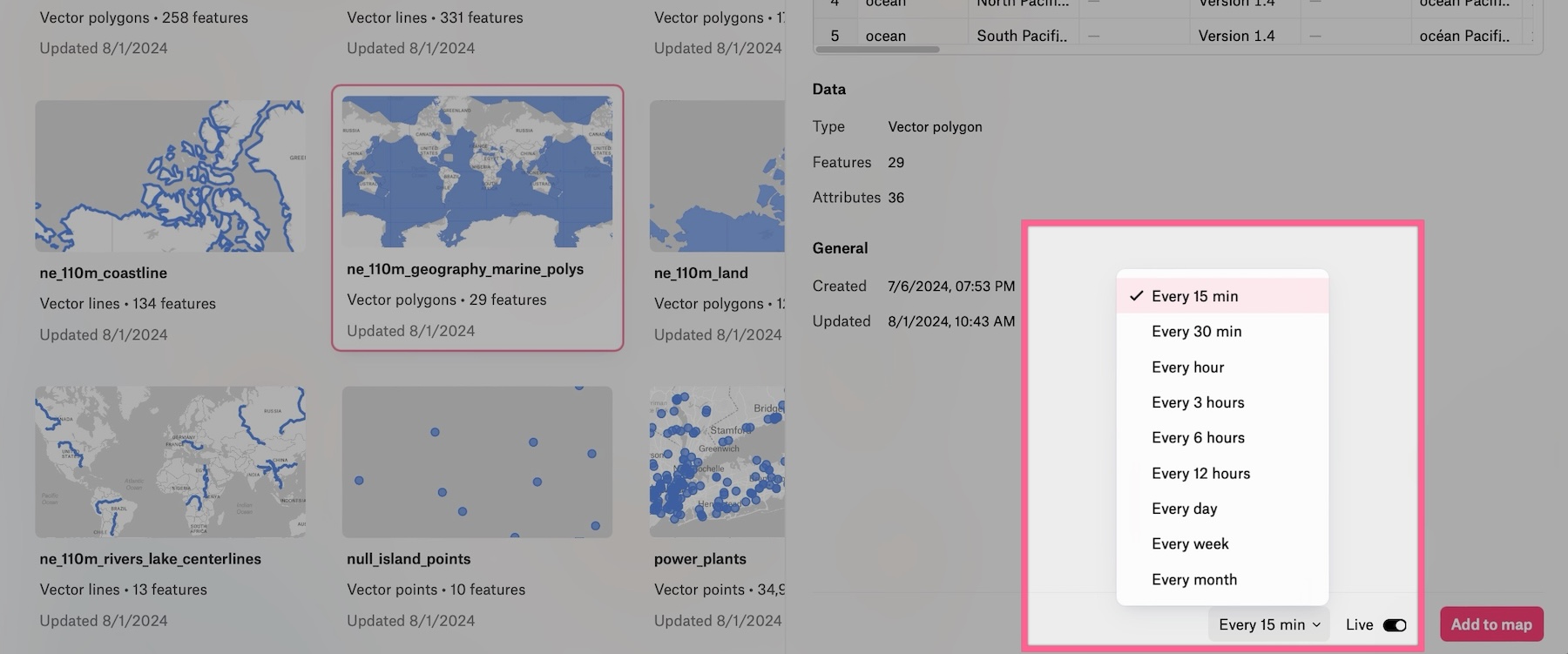
Once connected, you can easily add any of these layers to your spatial dashboards, bringing your database directly into your Â鶹´å workspace.
See if Â鶹´å is right for you



